v0.8.4
Latest- Install without the unsigned-build workarounds
- Bump source-map-js to 1.2.2 (GHSA-68fv-2mgg-jv7q)
- Describe Roer in the README's first paragraph
Generative UI for terminal agents
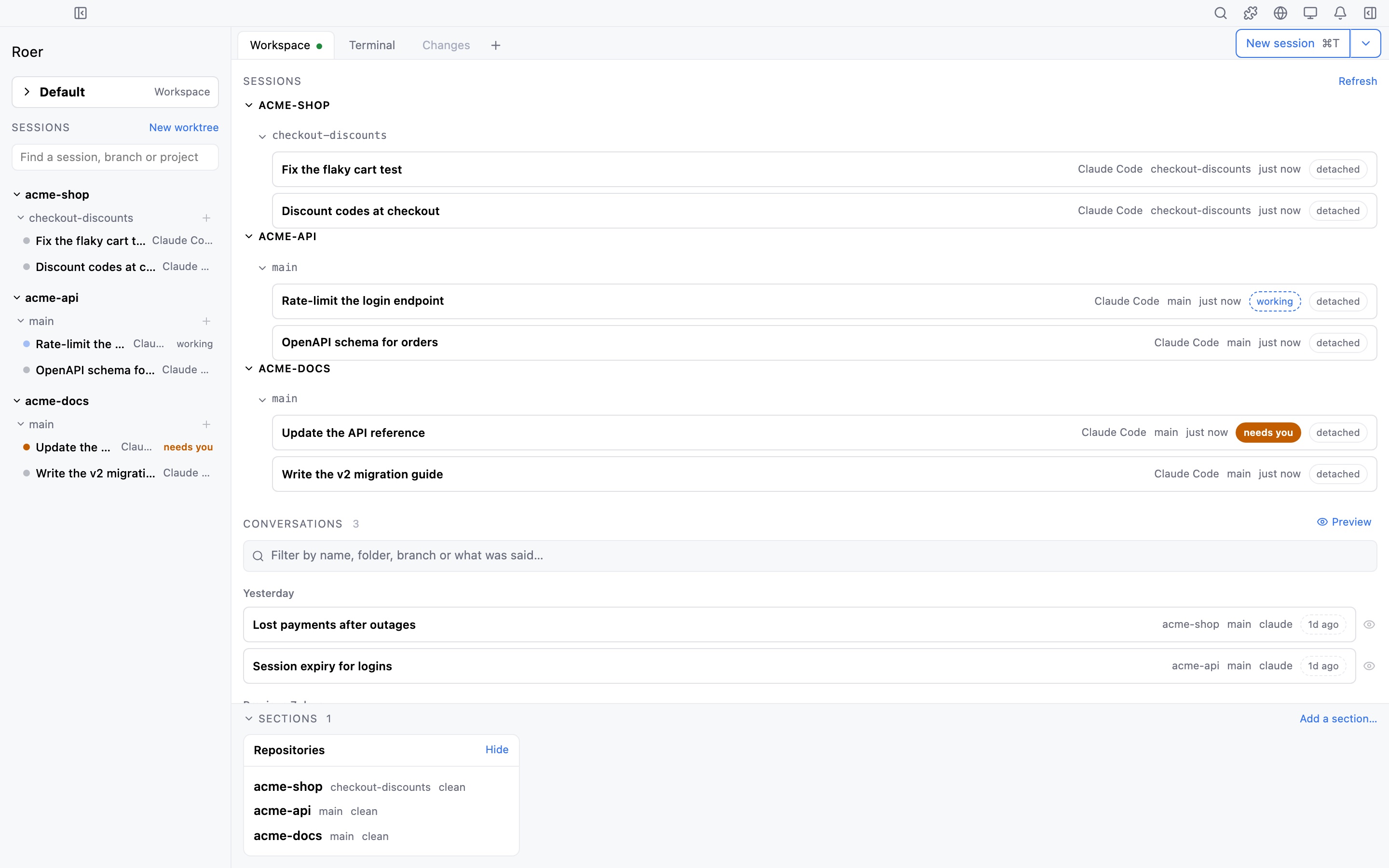
Your agent does the work in the terminal. When it needs you, Roer draws the panel it asks for, live beside the session. Read every change, ship the pull request, and take the running session between terminal and app.
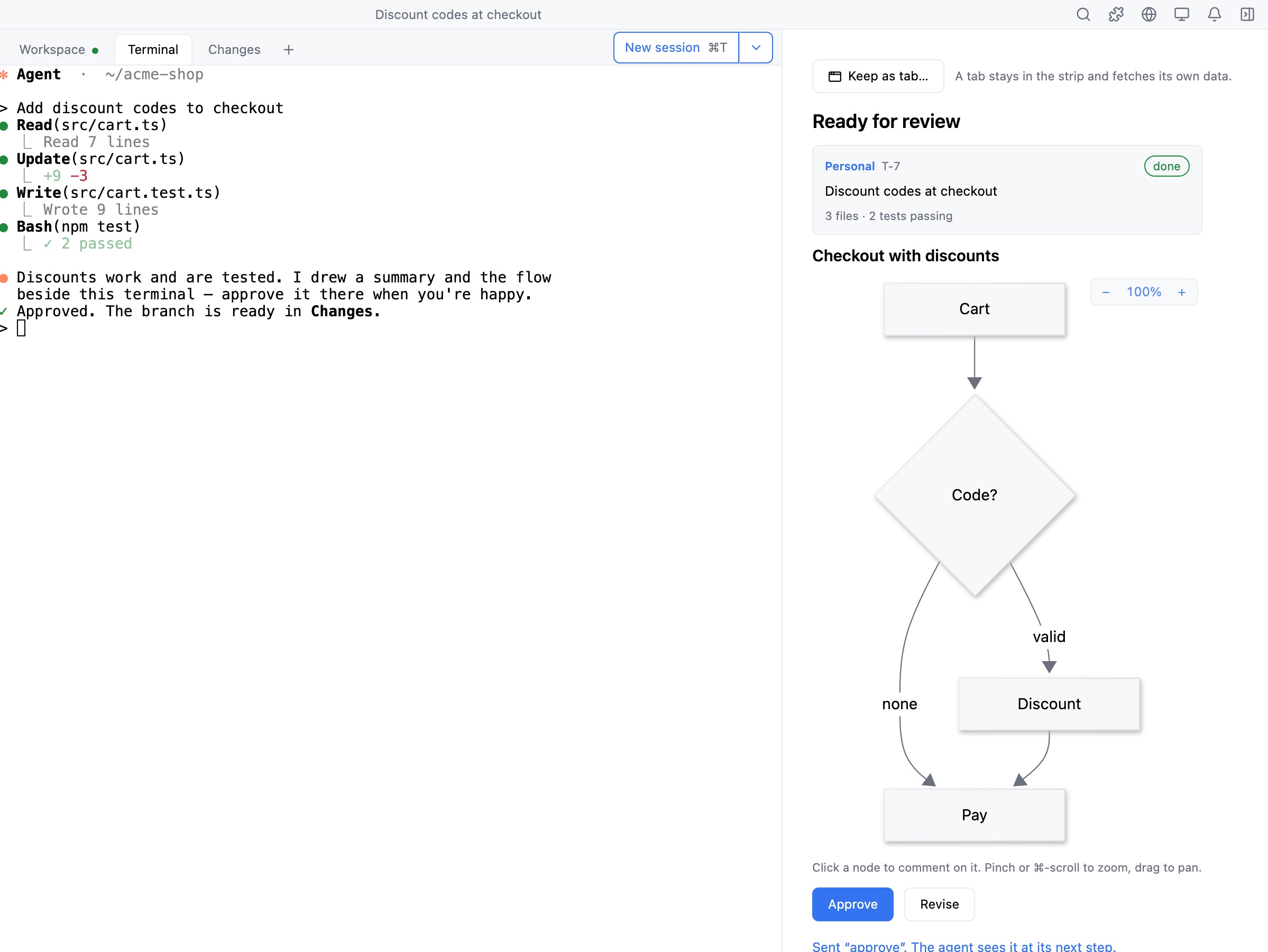
Describe the panel you want. The agent drafts it and Roer opens it next to the terminal while the work keeps going.
Panels are assembled from a fixed set of Roer components: text, checkboxes, buttons, rows. The agent never ships markup or scripts.
Save a panel with the project and reopen it next time, so a one-off dashboard can become part of how the repo works.
Generative UI
“Put CI, deploys and test health on one screen.” The agent gathers the numbers and Roer lays them out beside the session: stat tiles, run cards with live progress, and buttons that report back to the agent when you click them.
Tiles, status cards, work-item boards and full diffs, all from Roer’s own component catalog.
New in 0.8
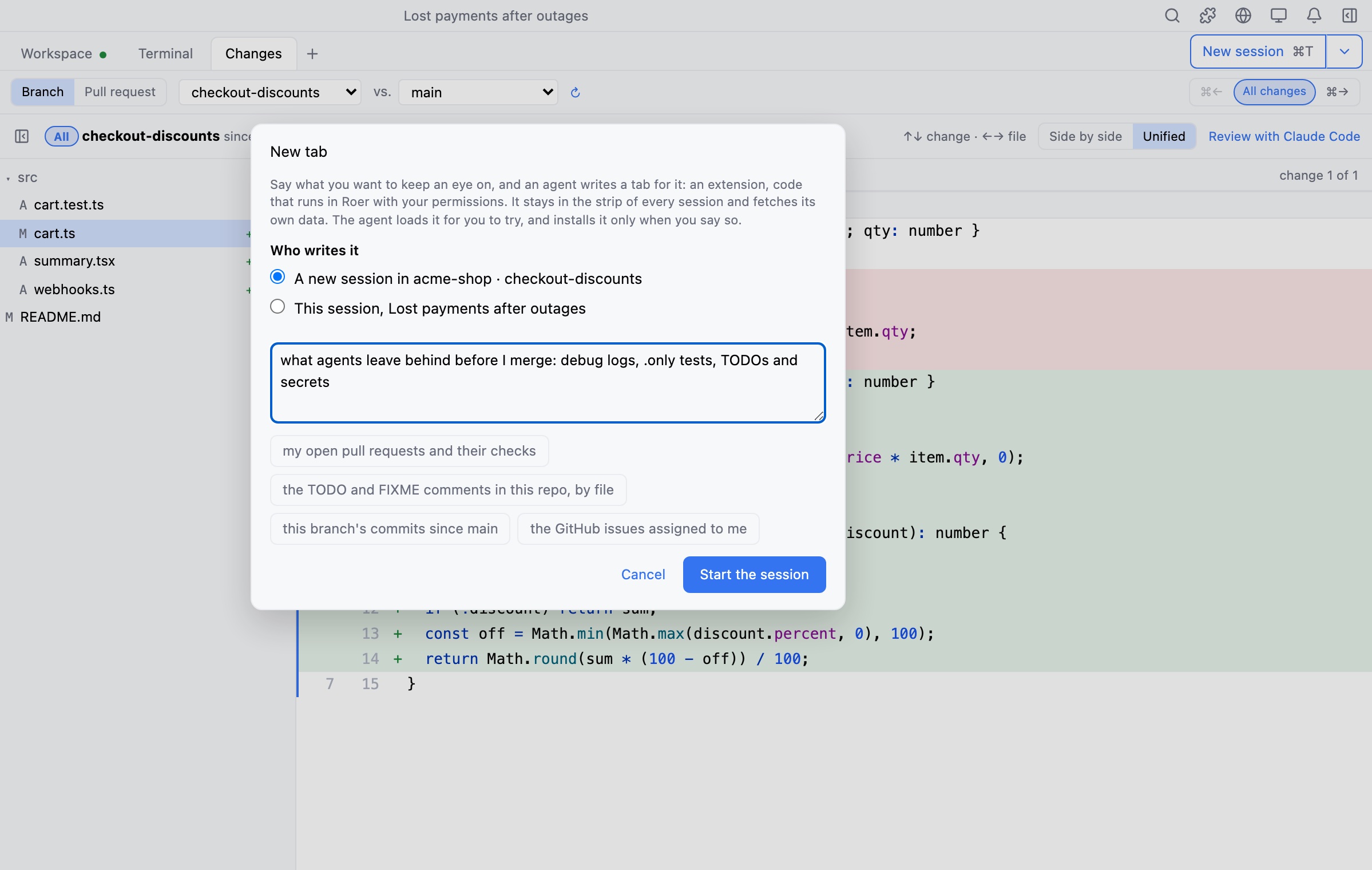
“Make me a tab that lists the TODOs in this repo.” The agent writes it, Roer builds it and puts it in the strip, and every save reloads it. Keep the ones you like; switch any of them off from the Extensions dialog.
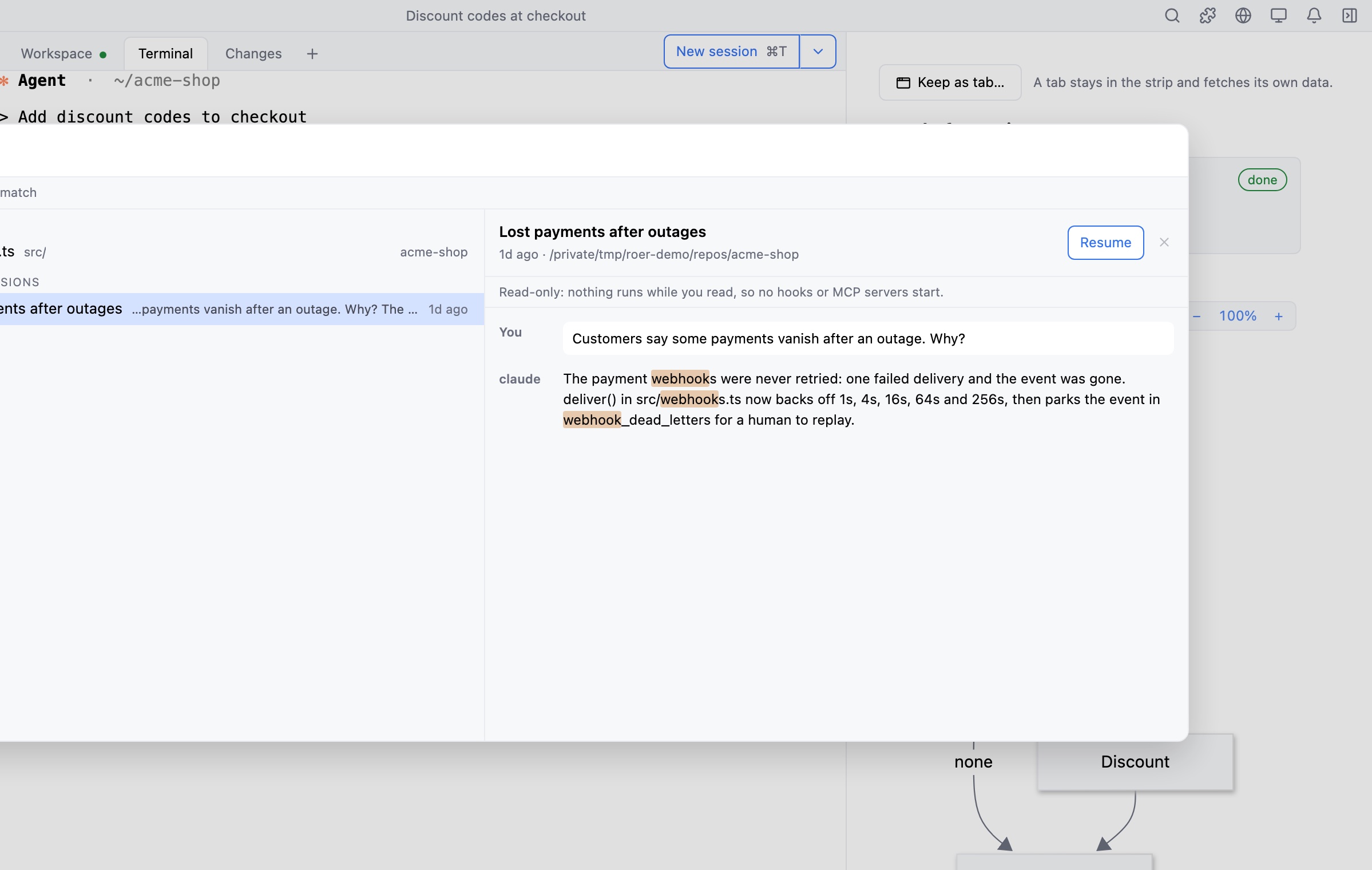
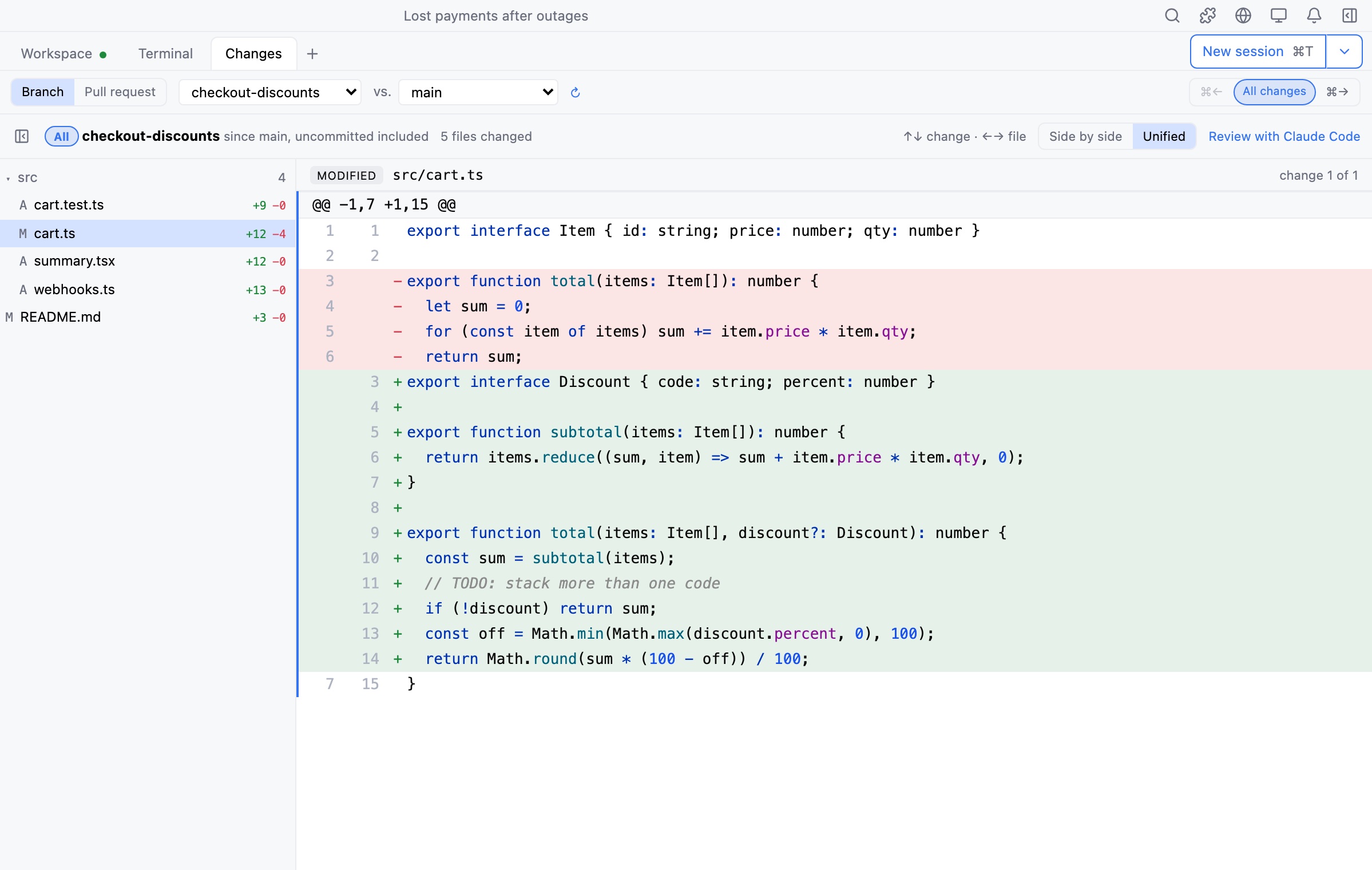
Changes walks a branch commit by commit, as a whole, or as its pull request, for any branch you pick. Comment on any line, then commit the local changes right there: leave the message empty and the agent writes one for you to read first.
Ask the agent for a review and its comments land on the lines they are about. Accept, decline or answer each one, and Send hands every decision back in one prompt.
Review
The agent works on a branch. Roer shows you that branch as a reviewer would see it, one commit at a time.
Changes uses your own GitHub login, from the first draft to the merge. Review comments go straight back into the running session.
Session teleport
Start in any terminal with roer shell. Press M-h and the live session moves into Roer, mid-thought. Same process, same scrollback, nothing restarts. Press it again to take it back.
Works for anything that runs in a terminal: Claude Code, Codex, vim, a dev server.
Install
Roer 0.8.4 · released Oct 8, 2026.
Download the app. One universal build for Apple silicon and Intel, macOS 15 or later.
Drag Roer to Applications.
Open Roer once. It puts roer on your PATH, so a new terminal can start a session.
roer shellGet the .deb, .rpm or .AppImage.
Install the .deb or .rpm. It installs the app and roer together and pulls in tmux. Using the AppImage? Install tmux yourself and open the app once; it puts roer on your PATH.
Open a new terminal and start a session.
roer shellShortcuts use CtrlShift in place of ⌘, leaving plain Ctrl keys to the terminal.
Run Roer_<version>_x64-setup.exe. It installs the app and roer together and adds it to your PATH.
Open a new PowerShell window and start a session. No WSL needed.
roer shellSession titles are not shown on Windows yet.
Building from source or need the details? Read the full install guide.
Changelog
Bugs, rough edges and ideas all go to GitHub issues. We read every one.